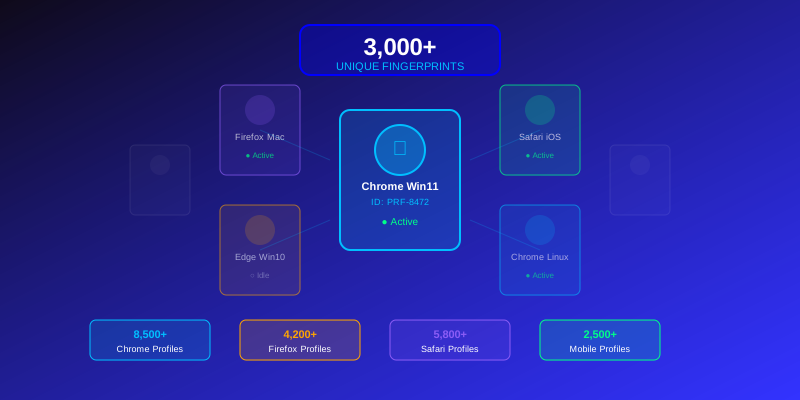
KeLAAX Stealth includes 3,000+ unique browser profiles. Here's how to use them effectively.
Understanding Profiles
What's in a Profile?
Each profile contains:
- Browser fingerprint - Canvas, WebGL, audio, fonts
- Hardware specs - Screen, memory, CPU cores
- Software details - OS, browser version, plugins
- Behavioral patterns - Typing speed, scroll style
Profile Consistency
Profiles remain consistent because:
- Real browsers don't change fingerprints randomly
- Websites track returning visitors
- Inconsistency is a detection signal
Profile Selection Strategies
By Platform
Match profiles to your targets:
- Windows profiles for general web browsing
- macOS profiles for premium/tech audiences
- Mobile profiles for mobile-optimized sites
By Region
Geographic consistency matters:
- Use profiles matching proxy location
- Consider language and locale settings
- Match timezone to geographic region
By Use Case
Different campaigns need different approaches:
- YouTube - Mix of all platforms
- SEO - Heavy mobile representation
- E-commerce - Desktop-focused
Profile Rotation
When to Rotate
Change profiles when:
- Starting new sessions for new "users"
- Switching to different targets
- Avoiding same-profile detection
When Not to Rotate
Keep the same profile when:
- Simulating return visits
- Building session history
- Maintaining logged-in states
Advanced Profile Usage
Profile Groups
Organize profiles by campaign:
- Create logical groupings
- Assign profiles to specific targets
- Track usage per group
Profile Favorites
Save effective profiles:
- Mark successful profiles
- Reuse for similar campaigns
- Build a proven profile library
Profile History
Track profile performance:
- Note detection incidents
- Record successful bypasses
- Identify problematic profiles
Common Mistakes
Over-Using Profiles
Each profile is a "virtual user":
- Don't use one profile for thousands of sessions
- Rotate appropriately for your scale
- Match profile usage to realistic patterns
Mismatched Configurations
Ensure consistency:
- Profile locale matches proxy location
- Timezone aligns with geography
- Language settings are appropriate
Ignoring Updates
Keep profiles current:
- Update to latest profile database
- Retired outdated browser versions
- Stay current with browser populations
Pro Tips
- Test new profiles before production campaigns
- Document effective combinations for reuse
- Monitor profile performance over time
- Rotate through your available profiles evenly
- Match profile complexity to target sophistication
Conclusion
Effective profile management is key to successful traffic automation. With 3,000+ profiles, you have tremendous variety—use it wisely by matching profiles to campaigns, rotating appropriately, and maintaining consistency within sessions.