While KeLAAX Stealth handles fingerprint spoofing and behavior simulation, your choice of proxy provider significantly impacts detection rates. Here's how to choose wisely.
Why Proxies Matter
Even with perfect fingerprint spoofing, your IP address can reveal:
- That you're using a datacenter or VPN
- Multiple sessions from the same source
- Geographic inconsistencies with your fingerprint
- Known proxy/VPN IP ranges
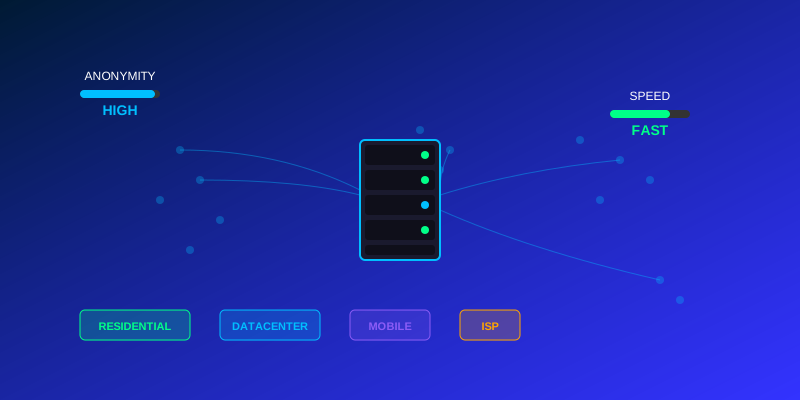
Types of Proxies
Residential Proxies (Recommended)
IP addresses from real ISPs assigned to home users.
Pros:
- Highest trust score
- Real ISP identification
- Lowest detection rates
Cons:
- More expensive
- Sometimes slower
- Limited availability in some regions
Best for: High-value targets, YouTube, ad networks
Datacenter Proxies
IP addresses from data centers and cloud providers.
Pros:
- Cheaper
- Faster
- More availability
Cons:
- Easily detected by sophisticated systems
- Often blacklisted
- No ISP identification
Best for: Low-security targets, bulk operations
Mobile Proxies
IP addresses from mobile carriers (4G/5G).
Pros:
- Very high trust (shared by many real users)
- Excellent for mobile-targeted sites
- Rare blacklisting
Cons:
- Most expensive
- Limited availability
- Can be slower
Best for: Mobile apps, social media, high-security targets
What to Look for in a Provider
IP Quality
- Fresh, unabused IPs
- Regular rotation of IP pool
- No shared/oversold IPs
Geographic Coverage
- IPs in your target regions
- City-level targeting if needed
- Authentic ISP identification
Technical Features
- HTTP/HTTPS and SOCKS5 support
- Username:password authentication
- API for automation
Reliability
- High uptime (99%+)
- Fast response times
- Good customer support
Recommended Provider Characteristics
While we don't endorse specific providers, look for:
- Transparent pricing - No hidden fees
- Trial options - Test before committing
- Positive reviews - Check independent review sites
- Active development - Regular IP pool updates
- Responsive support - Quick issue resolution
Configuring Proxies in KeLAAX
Once you've chosen a provider:
- Go to Settings > Proxies
- Add proxies individually or import from file
- Configure rotation settings
- Test connectivity before running campaigns
Pro Tips
- Rotate regularly - Don't overuse individual IPs
- Match geography - Proxy location should match fingerprint locale
- Monitor quality - Remove IPs with high detection rates
- Diversify - Consider using multiple providers
Conclusion
Your proxy choice is as important as your automation software. Invest in quality residential proxies for best results with KeLAAX Stealth. The additional cost pays for itself in better success rates and lower detection.